-
Shop
- Advanced Technologies
- AI Skills
- Apple Accessories
- Armani
- Bathroom
- Best-Sellers
- Calvin Klein
- Car Accessories
- Car Buying & Ownership
- Confidence
- Dating & Social Skills
- Digital Resources
- AI & Technology
- Beauty
- Electronics & Technology
- Emotional Intelligence
- Home Styling & Organization
- Kitchen & Recipes
- Mindfulness
- Mindset
- Online Business
- Parenting & Child Development
- Personal Style & Fashion
- Pet Lifestyle & Wellness
- Positive Thinking
- Productivity
- Self Confidence
- Sleep Improvement
- Smart Life with AI
- Stress Management & Relaxation
- Wellness
- Yoga & Mind-Body Practices
- Education & Learning
- Family & Parenting
- Fashion
- Furniture
- Gadgets
- Health & Beauty
- Health & Wellness
- Home & Garden
- Home Decor
- Home Electronics
- Jewelry
- Kids & Babies
- Kitchen
- Legend Footwear Brands Collection
- Lighting
- Luxury Brands Collection
- Nike
- Patio, Lawn & Garden
- Personal Growth
- Pet Care
- Pet Supplies
- Pets
- Smart Amazon Shopping
- Sport & Outdoors
- Travel
- Travel & Adventure
- Wealth
- Wealth Building
- Budgeting & Saving
- Cryptocurrency Investing
- Debt Management
- Entrepreneurship & Business Growth
- Family Finance & Budgeting
- Financial Independence
- Financial Mindset & Psychology
- Financial Planning
- Frugal Living & Expense Hacks
- Goal Setting
- High-Income Skills
- Investing Basics
- Leadership
- Motivation
- Networking & Mentorship
- Passive Income Strategies
- Real Estate Investing
- Side Hustles
- Stock Market Investing
- Popular
- Best deals
Screen Headaches: Fast Relief & Smarter Screen Habits
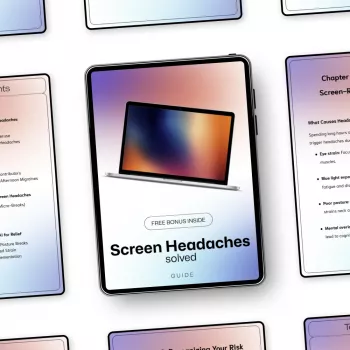
Screen Headaches Solved: Practical Relief for Eye Strain and Smarter Screen Habits
Headaches after long hours on a laptop, phone, or tablet are often driven by a mix of eye strain, poor viewing setup, dryness, glare, and sustained muscle tension. The good news: small changes to screen settings, posture, breaks, and visual habits can reduce frequency and intensity fast—and help prevent the cycle from returning.
Why screens can trigger headaches
“Screen headaches” usually aren’t caused by screens alone—they’re the end result of a few stressors stacking up.
- Visual fatigue from sustained near focus: Staring at a close target for hours overworks focusing muscles, especially when breaks disappear.
- Dry or irritated eyes: Blink rate drops during concentrated tasks, and air conditioning, heating, or contact lenses can make dryness worse.
- Glare and reflections: Even subtle reflections force constant micro-adjustments in focus and head position.
- Brightness/contrast mismatch: A bright screen in a dim room (or a dim screen in harsh light) creates extra effort and squinting.
- Poor ergonomics: Forward head posture and tight neck/shoulder muscles can refer pain upward into the head and temples.
- Uncorrected vision needs: Mild astigmatism or near-vision strain may only show up after prolonged screen time.
For a clinical overview of digital eye strain and why it happens, see the American Academy of Ophthalmology guidance on Computer Vision Syndrome.
Fast relief when a screen headache starts
When symptoms kick in, aim to “break the loop” (visual tension + dryness + posture load) rather than powering through.
- Stop for 5–10 minutes: Look at a distant target (out a window or across the room) to relax focusing muscles.
- Do a blink reset: 10 slow, full blinks, then normal blinking for 30 seconds to re-wet the surface of the eye.
- Hydrate: If dryness is common, consider preservative-free artificial tears.
- Cut glare immediately: Tilt the screen, close blinds, or move a lamp so reflections aren’t in your line of sight.
- Release neck/shoulders: Gentle chin tucks, shoulder rolls, and slow side bends (no forcing, no pain).
- Use medication wisely: If safe for you, follow label directions for an OTC pain reliever and avoid stacking caffeine with dehydration.
If your symptoms include severe eye pain, vision loss, or neurological signs, seek medical guidance right away.
Simple screen habits that prevent headaches (the daily baseline)
Prevention works best when it’s simple enough to keep doing on busy days.
- Use the 20-20-20 rule: Every 20 minutes, look 20 feet away for 20 seconds.
- Schedule “blink checks”: Once per hour, do a quick check-in—are you staring and barely blinking?
- Work in blocks: Batch focus-heavy tasks (spreadsheets, studying, gaming sessions) and insert non-screen tasks between them.
- Reduce late-night scrolling: In the last hour before bed, swap to audio, print, or a larger screen with lower brightness.
- Track patterns for one week: Note time of day, device used, lighting, hydration, sleep, and stress—headaches often follow a repeatable pattern.
Device setup that reduces eye strain
Small tweaks to your screen can reduce “effort per minute,” which matters when minutes turn into hours.
Quick settings checklist by device
| Setting | Goal | What to try |
|---|---|---|
| Brightness | Match ambient light | Lower in dim rooms; raise slightly in bright rooms without creating glare |
| Text size / scaling | Stop squinting and leaning in | Increase system scaling (e.g., 110–125%) and app font size |
| Color temperature | Reduce harshness at night | Use Night Shift/Night Light/blue-light filter after sunset |
| Refresh rate (if available) | Smoother motion, less flicker sensitivity | Set to the highest stable option (e.g., 90–120 Hz) |
| Notifications | Fewer attention spikes | Silence nonessential alerts during focus blocks |
Workspace and posture: the overlooked headache driver
For more background on symptoms and common triggers, the Mayo Clinic overview of eyestrain is a helpful reference.
Eye strain vs. migraine vs. something else
The Cleveland Clinic guide to digital eye strain also outlines when to seek help and which habits typically make the biggest difference.
A structured plan to reduce screen headaches
Digital guide: step-by-step help for lasting relief
If you want a repeatable routine (instead of relying on memory when you’re already uncomfortable), Screen Headaches Solved – A Practical Digital Guide to Headaches From Screen Overuse, Eye Strain Relief & Smart Screen Habits organizes the most useful tweaks into a simple, do-this-next flow. It’s designed for people who work at a computer, study online, game, or spend long hours on a phone and want changes that stick.
For a second digital tool that helps streamline recurring tasks (so you can reduce unnecessary screen time and “just-checking” loops), see Master Amazon Subscribe & Save in 10 Easy Steps – Printable Checklist for Beginners.
FAQ
How long should it take for screen headache changes to work?
Many people notice comfort improvements the same day after adjusting brightness, glare, and text size. More reliable improvement typically shows up over 1–2 weeks once break and posture habits become consistent.
Do blue-light filters prevent screen headaches?
They can reduce perceived harshness for some people, especially at night, but they aren’t usually the biggest lever. Brightness matching, glare reduction, readable text sizing, and regular breaks tend to have a larger impact.
When should an eye exam be considered for screen headaches?
If headaches are frequent, worsening, linked with blurred vision or squinting, or persist despite setup and habit changes, an eye exam is a smart next step. Even small prescription needs can become obvious during prolonged screen time.
Recommended for you


Dry Faster, Safer: LED High-Velocity Pet Dryer Guide
Sep 16, 2026













Leave a comment